A long keyword list is not yet an App Store keyword strategy. Start with the problems your app actually solves, then compare candidates within one store market and device. This workflow shows how to build a defensible shortlist with ASOTool, using its macOS keyword and combination views as examples.
1. Fix the store market before comparing keywords
Record the app, store country, store language and device. Changing the interface language does not automatically change the market you are researching. An iPhone result in the United States is not evidence of the same rank on iPad, Mac or another country's storefront.
Write down a concrete user task, such as finding large videos before clearing storage. Keep words describing real capabilities and remove unrelated high-volume terms. This relevance check comes before sorting by popularity.
2. Read the keyword table as evidence, not a promise
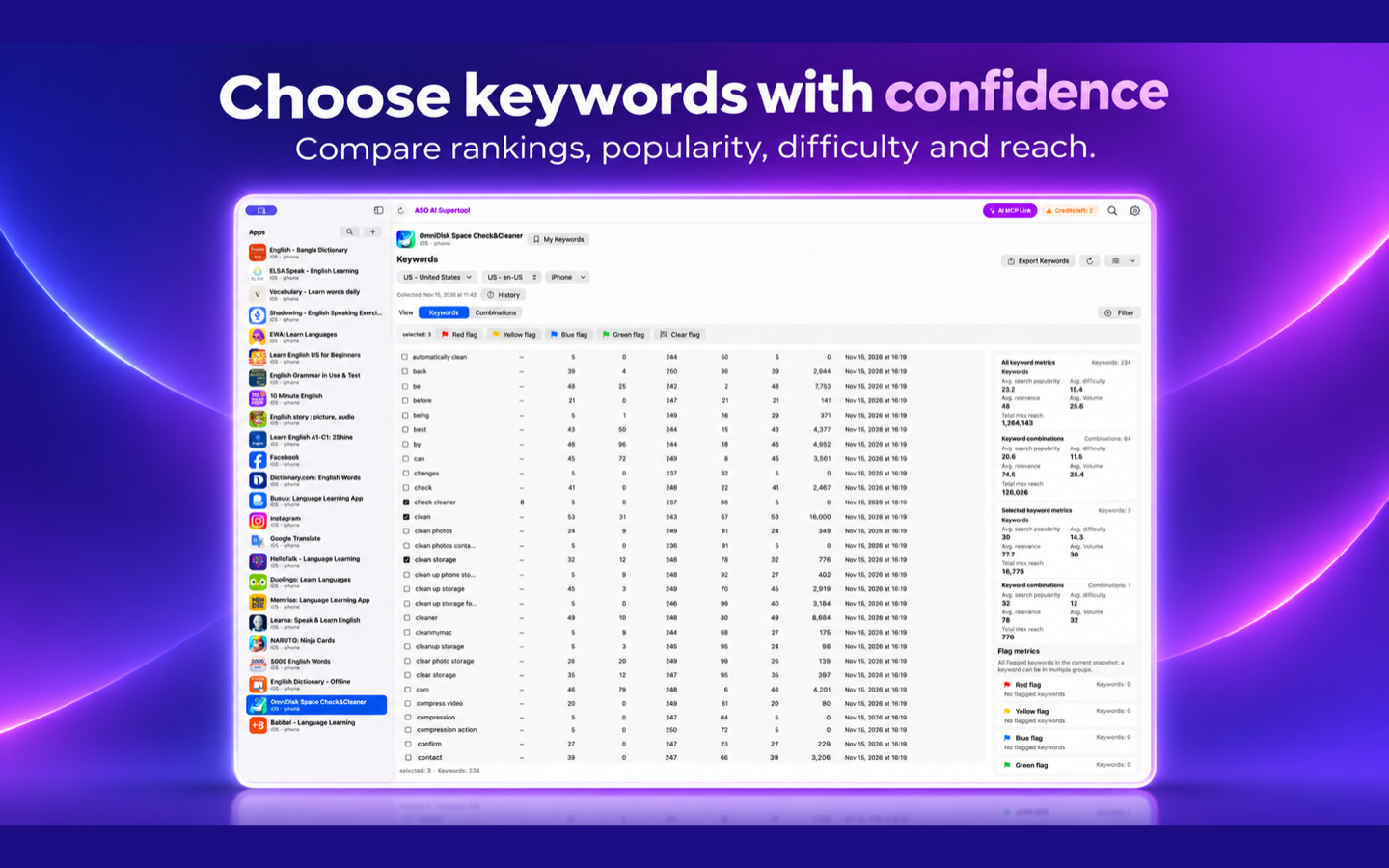
Open the app's keyword view and confirm the country, language and device controls. Compare the available rank, popularity, difficulty, result count and relevance fields, together with the collection time. Missing rank or demand data should stay unknown; a dash is not proof of zero demand.
The screenshot shows a keyword table, selected rows and a summary panel. It is an existing research snapshot, not a live forecast. Provider scores, volume and reach are estimates with their own definitions; do not treat them as guaranteed downloads or add overlapping keyword reach figures together.
3. Separate Google keyword demand from App Store demand
Google Ads Keyword Planner helps research the web searches that could lead readers to an article like this one. Its Competition and indexed competition values describe advertisers competing for Google ad placements. They do not measure the difficulty of ranking organically in Google or the App Store.
For this article's US web research, the November 2025–October 2026 data showed app store keyword research in the 10–100 monthly-search range, with an advertising competition index of 32. This is a dated Google estimate, not an App Store search count. Use App Store-specific observations when deciding which store keywords to test.
4. Inspect combinations before choosing a phrase
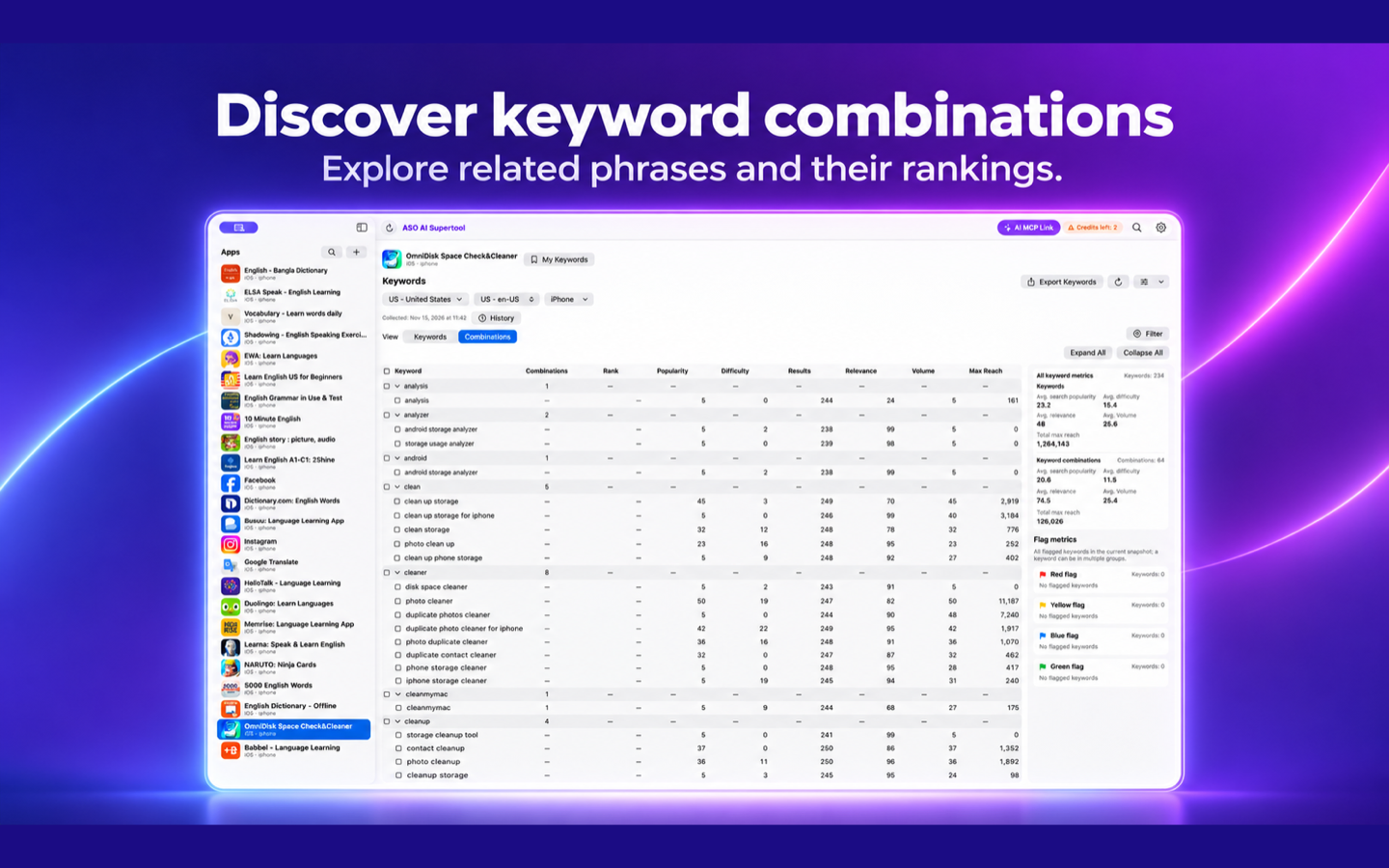
Switch from Keywords to Combinations when that dataset provides combination results. Expand a relevant seed and inspect the actual phrases and recorded ranks. A phrase that matches a specific task can be more useful than a broad word that describes many unrelated apps.
The combination view in the illustration groups phrases around words such as clean and cleaner. These phrases belong to the app being analyzed, OmniDisk; they are not suggested keywords for every app. A missing phrase rank needs further checking, and combination data does not guarantee coverage after a metadata change.
5. Save a shortlist with a reason for each choice
For each candidate, record its exact wording, target market, relevance to a real feature, observed rank, available demand and difficulty metrics, collection date and decision. Use flags to distinguish candidates worth testing from terms that need more evidence. Export the keyword list when you need a reviewable record outside the app.
Prefer candidates you can explain in one sentence: this phrase describes a real task, the target-market evidence is available, and the current listing can address it honestly. A low competition number alone is not enough. Remove irrelevant terms even when they appear attractive numerically.
6. Keep a baseline and review after a change
Save the current listing and dated keyword snapshot before editing store metadata. After a change is actually live, compare the same country, device and query scope. Note the release date and any other changes that could affect results.
A ranking movement alone does not prove that one keyword caused more downloads. Combine comparable keyword observations with your own store impressions, product-page views and downloads. Treat the screenshots as examples of the research interface; available data and coverage depend on the selected dataset.
Sources and further reading
- Apple Developer: App Store search
- Google Ads Help: Use Keyword Planner
- Explore the ASO research workspace

Try ASOTool
Research relevant keywords and compare evidence before planning your next ASO test.